Scan the QR code to interact with AskAda

How to Add “AskAda” on WhatsApp (iOS) using Contact
Follow these simple steps to add AskAda as a new WhatsApp contact and start chatting right away.
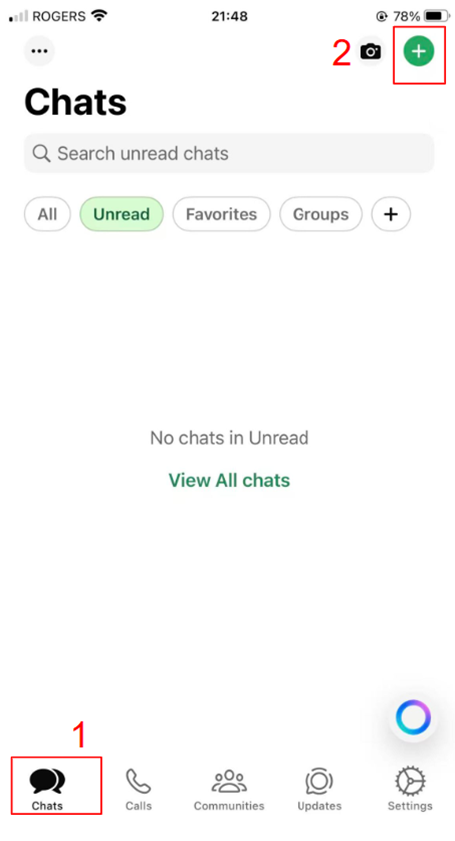
Step 1. Open WhatsApp and Start a New Chat
Open WhatsApp on your iPhone.
Tap Chats at the bottom, then tap the icon in the top-right corner.
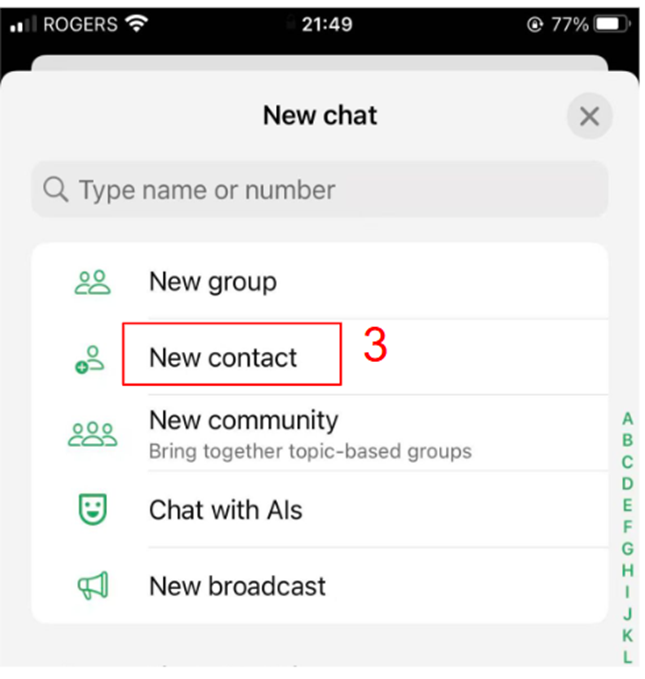
Step 2. Select “New Contact”
Select New Contact.
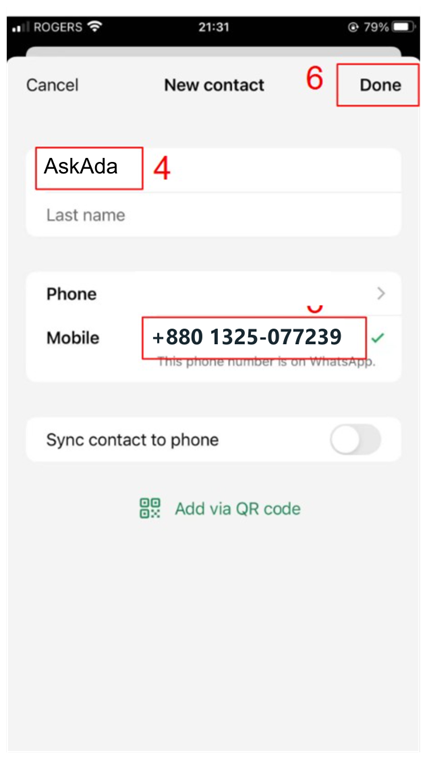
Step 3. Add the Details
Enter the chatbot’s information:
- Name: AskAda
- Mobile: +880 1325-077239
- Tap Save/Done.
Step 4. Start Chatting
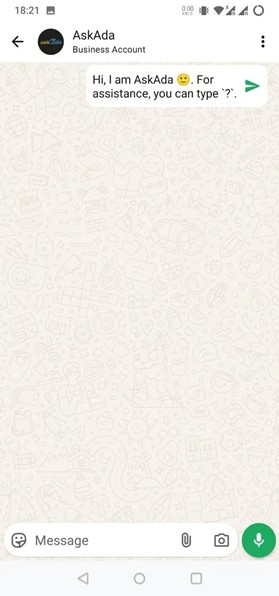
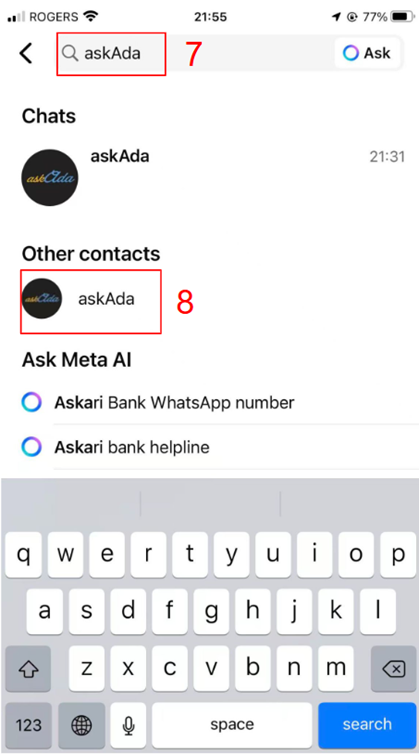
Go back to Chats, search for “AskAda,” and tap the name to start your conversation!
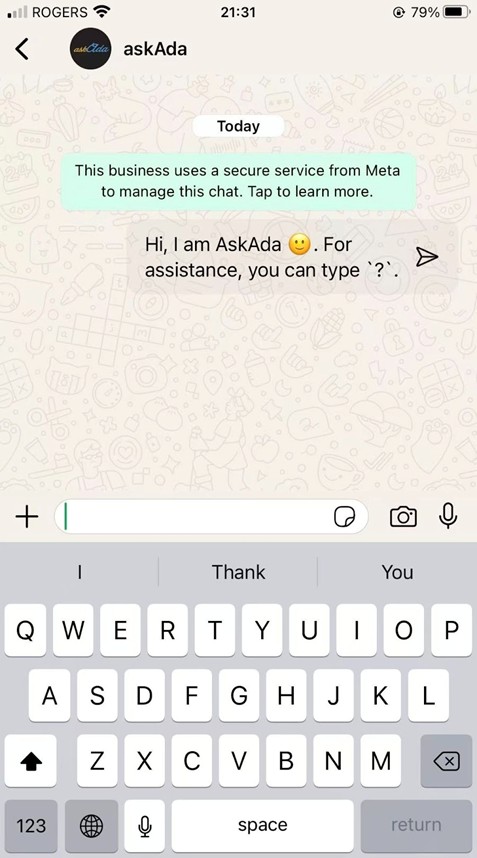
Step 5. Meet AskAda
You’re all set! Start chatting with AskAda.
How to Add “AskAda” on WhatsApp (Android) using Contact
Follow these simple steps to add AskAda as a new WhatsApp contact and start chatting right away.
Step 1. Open WhatsApp and Start a New Chat
Open WhatsApp on your iPhone.
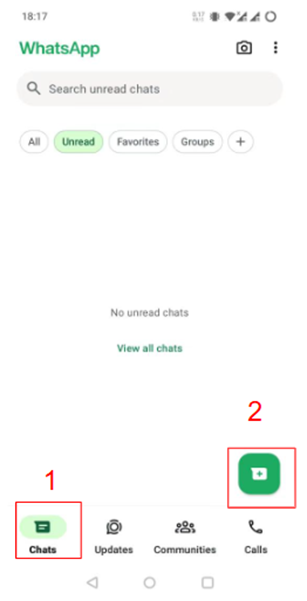
Tap Chats at the bottom, then tap the “+” icon
Step 2. Select “New Contact”
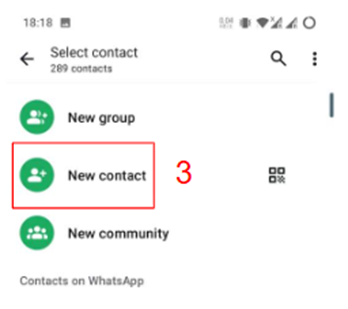
Select New Contact.
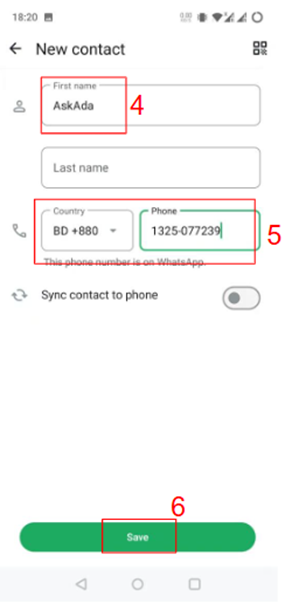
Step 3. Add the Details
Enter the chatbot’s information:
- Name: AskAda
- Mobile: +880 1325-077239
- Tap Save/Done.
Step 4. Start Chatting
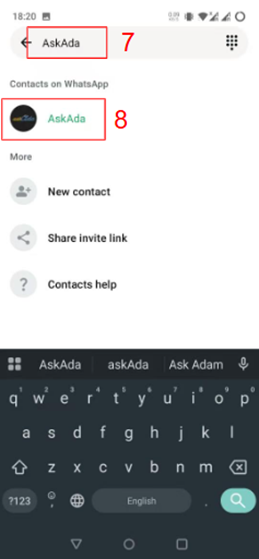
Go back to Chats, search for “AskAda,” and tap the name to start your conversation!
Step 5. Meet AskAda
You’re all set! Start chatting with AskAda.